Metztli Reiser4: 'How can the [VirtualBox] guest additions work if they are no native OS/2 progs[?]'
Recently I came across the question of the title and the associated issue: how to enable the VirtualBox Guest Additions for OS/2. Indeed, this is an old issue which surviving savvy OS/2ers have managed to achieve. Notwithstanding, as is usually the case, the procedure is nowhere to be found -- probably due to OS/2ers proprietary mindset since most have migrated to the allegedly corrupt  pedo oligarch Bill Gate's mediocre, compromised, virus-like software. Spearheaded by the mundane household name(s), windows, word, etc., office software, Microsoft is imposed on US' vassal governments, like that of the pusillanimous New Spain, aka, 'Mexico', and Zio- Nazi Ukraine's1.
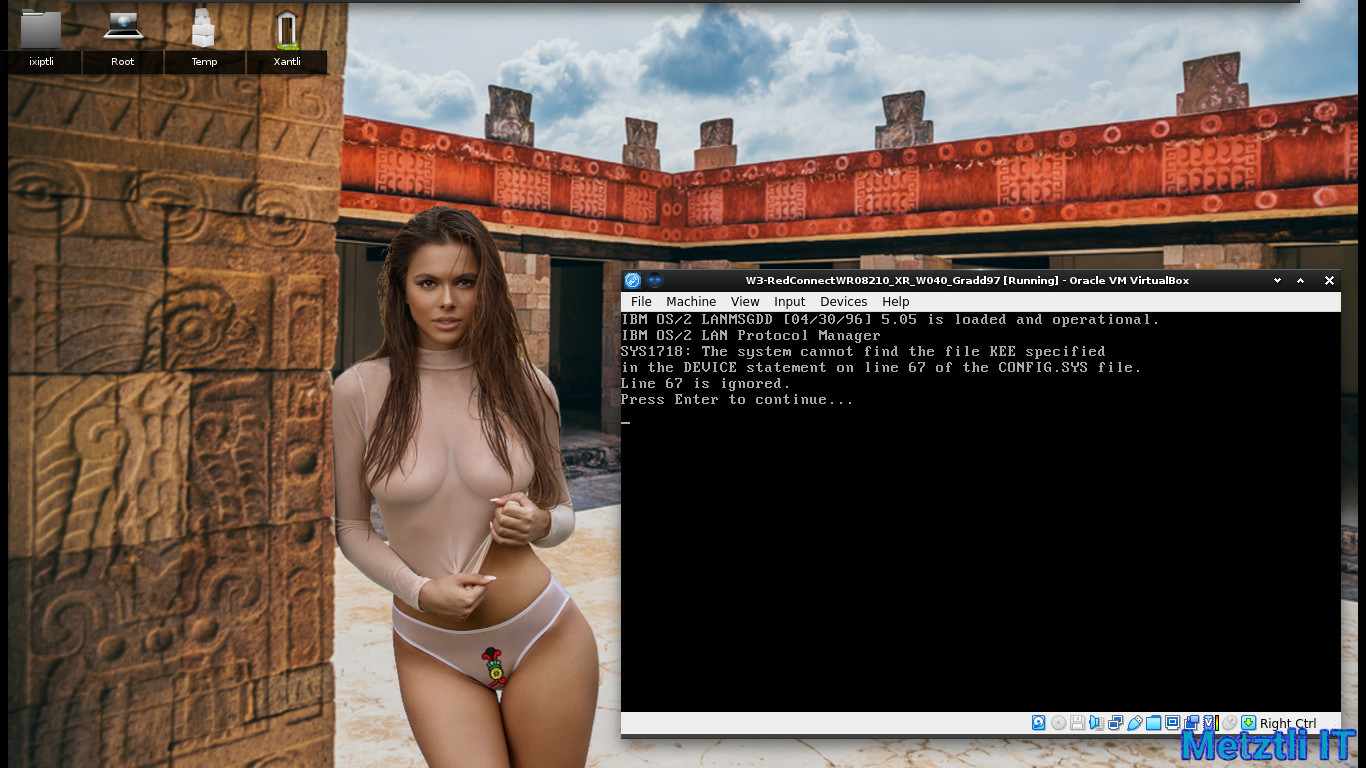
Alas, VirtualBox Guest Additions are proprietary software as they are released as VirtualBox Personal Use and Evaluation License (PUEL); incidentally, the acronym closely resembles PUKE, just pointing out the obvious. Just for the record, I do not need such PUKE..., er, PUEL, since under my Linux -based Metztli Reiser4 as in all versions of OS/2 2.0, 2.1x, Warp 3, and Warp 4, I can just generate on the fly an ISO image from the command prompt to transfer files from Linux to OS/2. I can, alternatively, mount a given OS/2 version as a virtual disk under a guest Metztli Reiser4 and transfer data (assuming, of course, the OS/2 file system is not hpfs386 . Also, allegedly VirtualBox Guest additions depend on a KERNEL EXECUTION ENVIRONMENT (KEE) extension introduced only in the kernels of WSEB and a certain late fixpak for OS/2 Warp 4, a.k.a. Merlin.
For instance, here is what happens when the VirtualBox Guest additions are enabled for a fixpaked OS/2 Warp 3 Connect running the last available kernel:
Accordingly, installing the VirtualBox Guest Additions was more an act of technological curiosity more than anything else -- as I strive to stay away from cave proprietary development.
Lowdown
If you are going to build the most recent VirtualBox 6.1.34/36 under Debian Buster/Bullseye and/or Amatlocuilin, i.e., 'Bookworm', Debian Linux, you will need to install the following packages -- as root or wielding root privilege with sudo :
Shell
dpkg --add-architecture i386 |
Shell
apt-get install lib32z1 lib32ncurses6 libc6-dev-i386 lib32gcc-s1 gcc-multilib lib32stdc++6 g++-multilib gcc g++ bcc iasl xsltproc uuid-dev zlib1g-dev libidl-dev libsdl1.2-dev libxcursor-dev libasound2-dev libstdc++5 libpulse-dev libxml2-dev libxslt1-dev python-dev libcap-dev libxmu-dev mesa-common-dev libglu1-mesa-dev libpam0g-dev libxrandr-dev libxinerama-dev makeself libdevmapper-dev default-jdk texlive-latex-base texlive-latex-extra texlive-latex-recommended texlive-fonts-extra texlive-fonts-recommended genisoimage libvpx-dev libvncserver-dev libssl-dev libqt5x11extras5-dev qttools5-dev-tools make libopus-dev liblzf-dev gsoap jaxws docbook-xsl docbook-xsl-ns python3-sphinx yasm libtpms-dev qttools5-dev |
(If on Debian Bookworm 12 and VirtualBox-7.0.20, replace python-dev above with python-dev-is-python3 and include libpython3.10-dev and/or libpython3.11-dev libgsoap-dev as well as libcurl4-openssl-dev and glslang-tools -- as this latter package provides glslangValidator)
Also, if building VirtualBox 7.0.20 on Debian Bookworm AMD64 you experience an error with output containing a line similar to:
kmk: *** No rule to make target '/usr/lib/x86_64-linux-gnu/libQt5Help.so', needed by '/usr/src/build/VirtualBox-7.0.20/out/linux.amd64/release/obj/UICommon/UICommon.so'. Stop.
then qttools5-dev must be missing -- even if the configure.log file shows every dependency to build VirtualBox 7.0.20 is fulfilled.
If building VirtualBox 7.1.0 on Debian 12 Amatlocuilin, i.e., 'Bookworm', you will need the packages:
qt6-5compat-dev qt6-base-dev qt6-base-dev-tools qt6-tools-dev qt6-scxml-dev
Additionally, if building VirtualBox 7.2.2 on Debian 13 Trixie, and you get a similar error as:
xyz/build/VirtualBox-7.2.2/src/VBox/Runtime/generic/http-curl.cpp:2097:43:
invalid conversion from ‘long int’ to ‘curl_proxytype’
you will need a patch developed by Debian and being used by other distros, too:
new-curl.patch to be applied to
src/VBox/Runtime/generic/http-curl.cpp

and the higher version upstream package
qt6-base-dev_6.8.2+dfsg-9_amd64.deb
which contains an extra file:
/usr/include/x86_64-linux-gnu/qt6/QtCore/qglobal.h
otherwise, your build from source will fail, halting when referencing:
#include <QtGlobal>
Also, for build of VirtualBox 7.2.16 OSE in Debian Trixie, add another dependency:
Shell
apt-get install nasm |
or
Shell
apt-get -t trixie-backports install nasm |
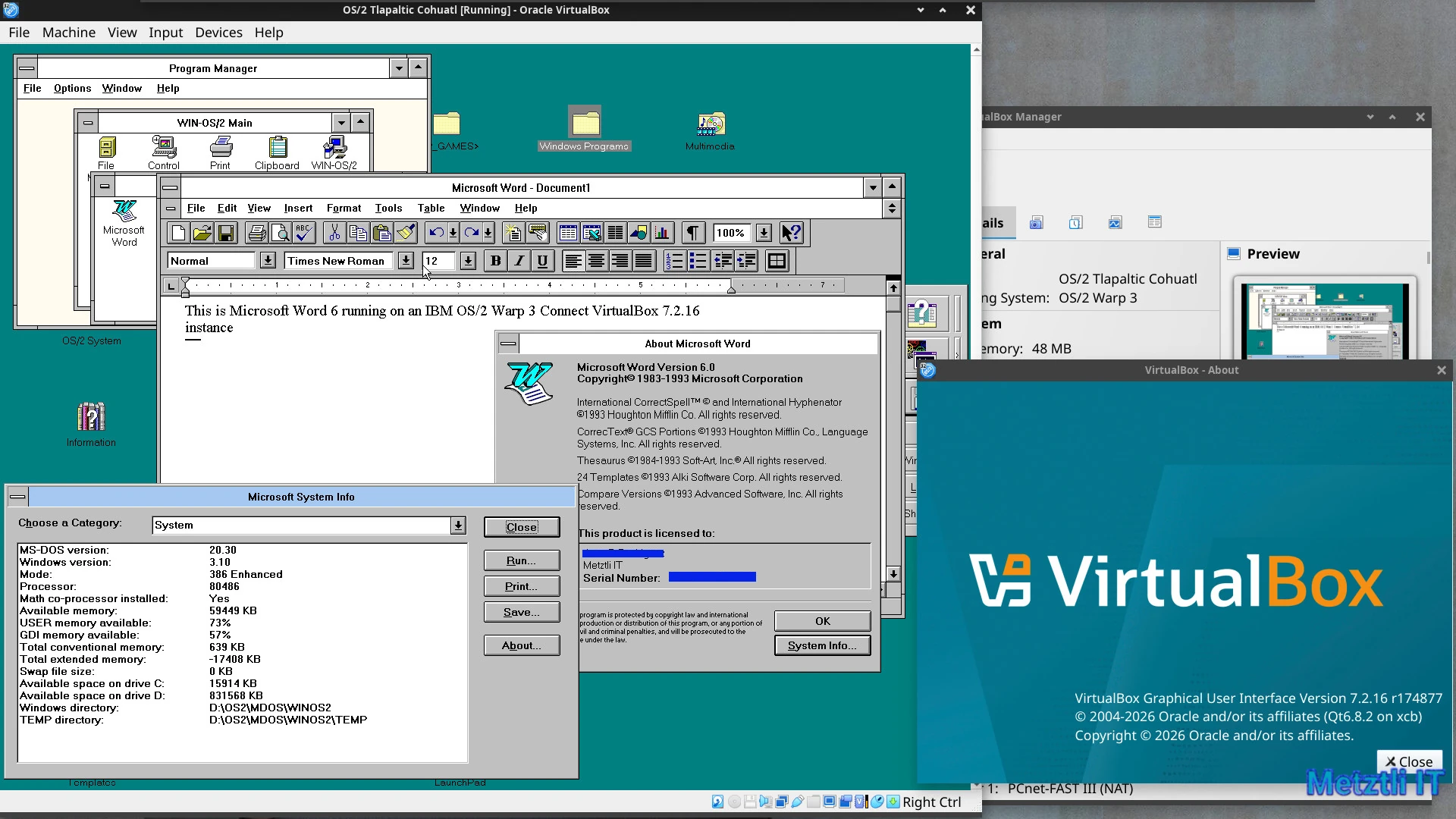
Please, do add to the package dependencies previously elaborated, if needed, i.e., if not on a Metztli Reiser4:
Shell
apt-get install linux-kernel-headers |
We can then download the OSE VirtualBox most recent source release and extension pack:
Shell
wget -P ~/Downloads https://download.virtualbox.org/virtualbox/6.1.36/VirtualBox-6.1.36.tar.bz2 https://download.virtualbox.org/virtualbox/6.1.36/Oracle_VM_VirtualBox_Extension_Pack-6.1.36-152435.vbox-extpack https://download.virtualbox.org/virtualbox/6.1.36/SHA256SUMS |
And verify their integrity:
Shell
for i in $(sha256sum ~/Downloads/Oracle_VM_VirtualBox_Extension_Pack-6.1.36-152435.vbox-extpack ~/Downloads/VirtualBox-6.1.36.tar.bz2 | cut -d' ' -f1); do grep $i ~/Downloads/SHA256SUMS; done |
Note that the sha256sum is currently the same for Oracle_VM_VirtualBox_Extension_Pack-6.1.36-152435.vbox-extpack (fetched) as for Oracle_VM_VirtualBox_Extension_Pack-6.1.36.vbox-extpack which only exists in SHA256SUMS file.
Once at the directory location selected to untar our VirtualBox source archive, we do:
Shell
tar -xf ~/Downloads/VirtualBox-6.1.36.tar.bz2 |
and change into VirtualBox-6.1.36:
Shell
cd VirtualBox-6.1.36 |
We also bring with us the fetched extension pack:
Shell
cp -iv ~/Downloads/Oracle_VM_VirtualBox_Extension_Pack-6.1.36-152435.vbox-extpack . |
We configure our source:
Shell
./configure --disable-docs --disable-hardening --enable-vde --enable-vnc |
(please, type ./configure --help to see for more information)
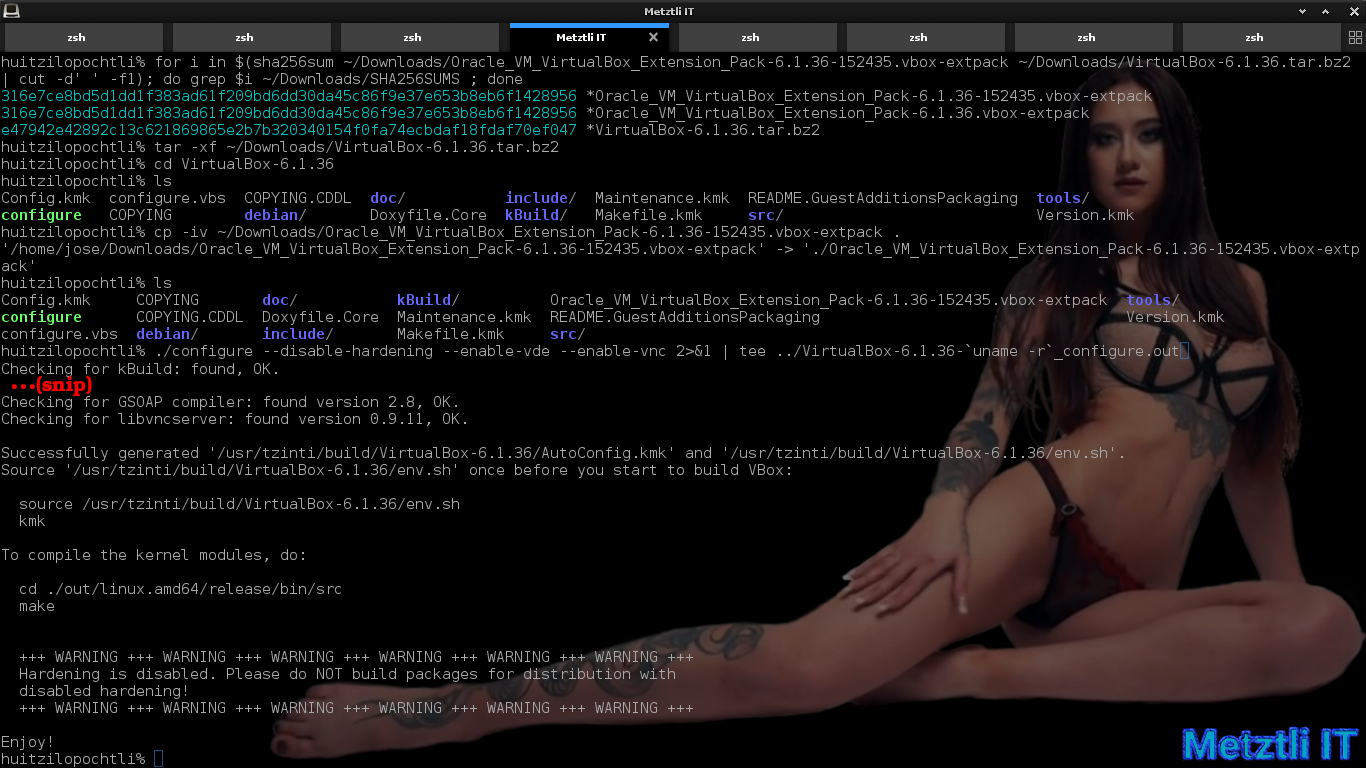
We follow the guidelines at the end of the output (in above snapshot) after a successful VirtualBox source configuration:
Shell
source env.sh | |
kmk |
After a fraction of an hour kmk ends without errors:
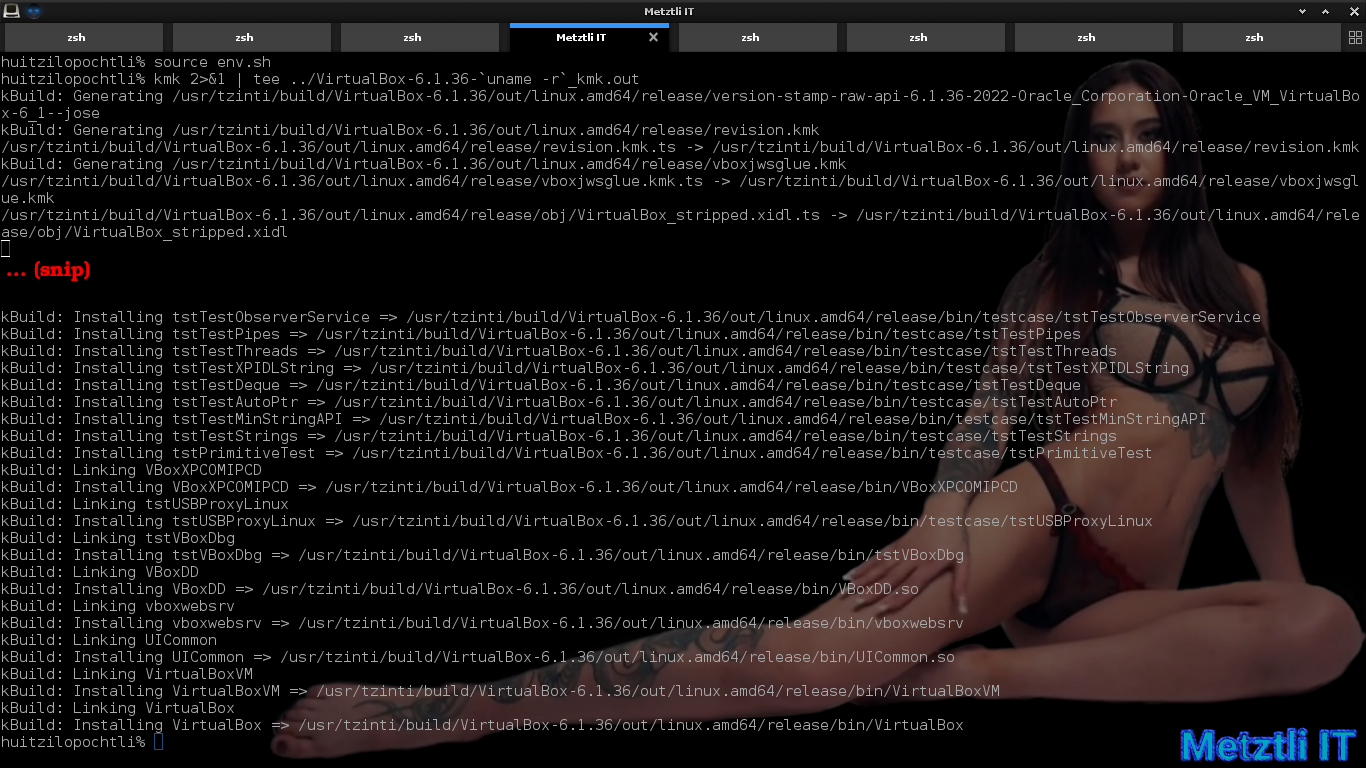
We peek to find out what VirtualBox modules will be built by observing their directory name:
Shell
ls out/linux.amd64/release/bin/src |
then we start the make procedure -- specifying -C option to instruct make to change directory first:
Shell
make -C out/linux.amd64/release/bin/src |
![Metztli Reiser4: 'How can the [VirtualBox] guest additions work if they are no native OS/2 progs[?]'](https://metztli.blog/media/blogs/ixiptli/Tlilticohuatl/make_-c_virtualbox-src-path.png?mtime=1658309795)
After the modules build completes, we again peek as in command 11 above. We should see the freshly minted modules inheriting their source directory name but concatenating a .ko file extension. We acquire root privilege with su and proceed to install the VirtualBox modules:
Shell
make -C out/linux.amd64/release/bin/src install |
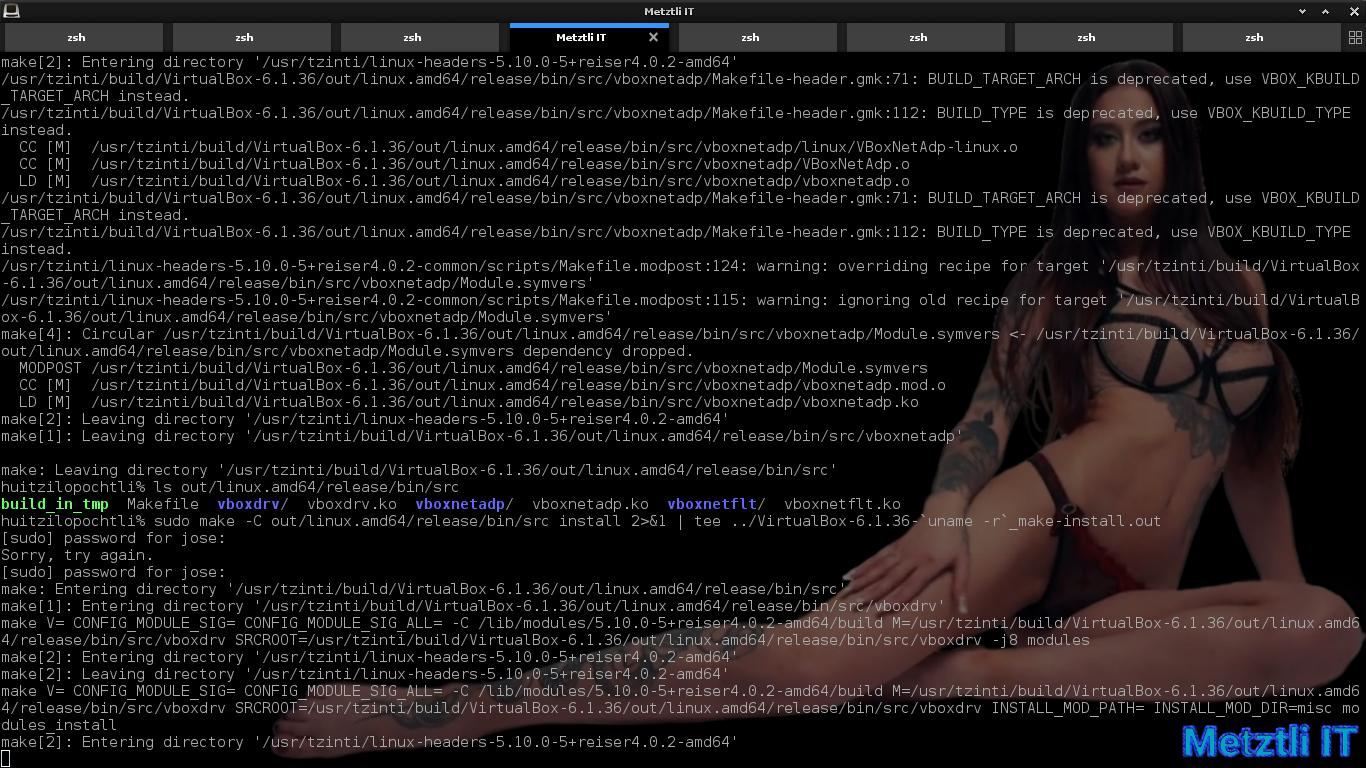
We can verify that the VirtualBox 6.1.36 modules were indeed installed for our reiser4 kernel:
Shell
ls /lib/modules/`uname -r`/misc |

Acquiring root privilege with su and/or as root in Debian -based Metztli Reiser4 we enable (load) the modules:
Shell
depmod -a | |
modprobe vboxdrv | |
modprobe vboxnetflt | |
modprobe vboxnetadp | |
chgrp [user group name] /dev/vboxdrv | |
chmod g+rw /dev/vboxdrv |
Now as a normal user, i.e., no root privilege, we set the path to our VirtualBox 6.1.36 binary:
Shell
PATH=/path/to/our/VirtualBox-6.1.36/out/linux.amd64/release/bin:$PATH |
We Verify that, in effect, we can call to execute our VirtualBox binary:
Shell
which VirtualBox | |
VirtualBox & |
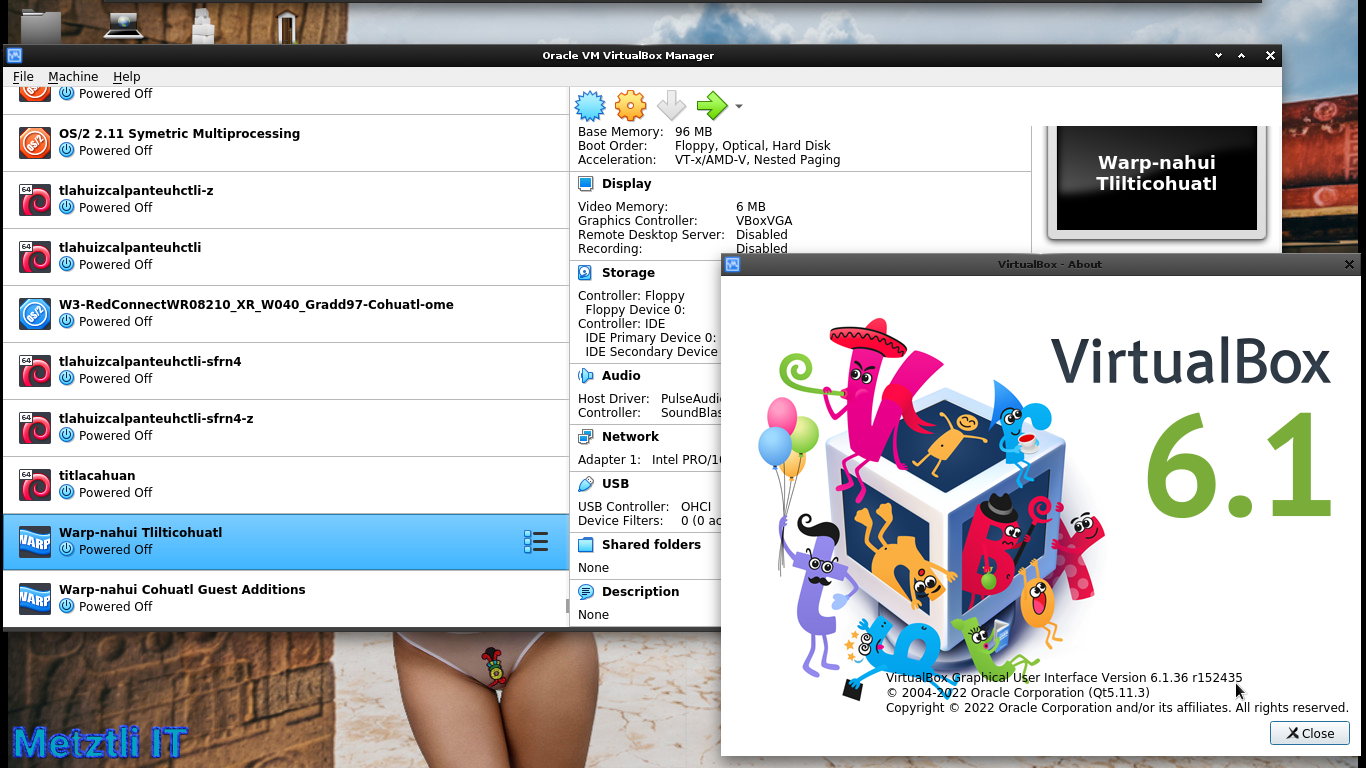
Subsequently, the VirtualBox 6.1.36 r152435 type 2 hypervisor will start, containing all the previous virtual machines we have created, if at all:
Helpful OS/2 Warp 4 Utility and How to Enable It.
grep from grep_3-4-1.zip at Netlabs
depends on:
libcn0.dll from libc-0_1_7-1_oc00.zip
libcx0.dll from libcx-0_4_1-1_oc00.zip
WARNING: libcx0.dll from libcx-0_7_2-1_oc00.zip did not work;
it yields: A non-recoverable error occurred. The process ended.
intl8.dll from gettext-0_19_8_1-3_oc00.zip
gcc1.dll from gcc-9_2_0-5_oc00.zip
gcc444.dll from gcc-9_2_0-5_oc00.zip
pcre8.dll from pcre-8_45-1_oc00_1.zip
libc063.dll from libc-0_6_6-40_oc00.zip
libc066.dll from libc-0_6_6-40_oc00.zip
pthr01.dll from pthread-20190130-23_oc00.zip
urpo.dll from urpo-20160630-12_oc00.zip
Extracting those DLLs and subsequently placing them under your /OS2/DLL/ directory will enable the grep utility where, of course, grep is an executable and should be placed under /OS2/  ; then you can invoke grep from any location in your command line.
1
Microsoft is 'encroaching on the sovereignty of other states', besides Ukraine:
Microsoft announces a $1.1 billion investment plan to drive digital transformation in country including its first cloud datacenter region
 This entry was posted by Jose and filed under Technology, OS/2, Reiser4, Debian. Tags: Guest Additions, KEE, Kernel Execution Environment, OS/2, Warp 3, Warp 4, grep, virtualbox.